Sandbox to Production: A Migration Checklist for KYC Integrations
A passing sandbox test doesn't mean production is ready. This checklist covers the credential, webhook, and ownership gaps that actually break launches.
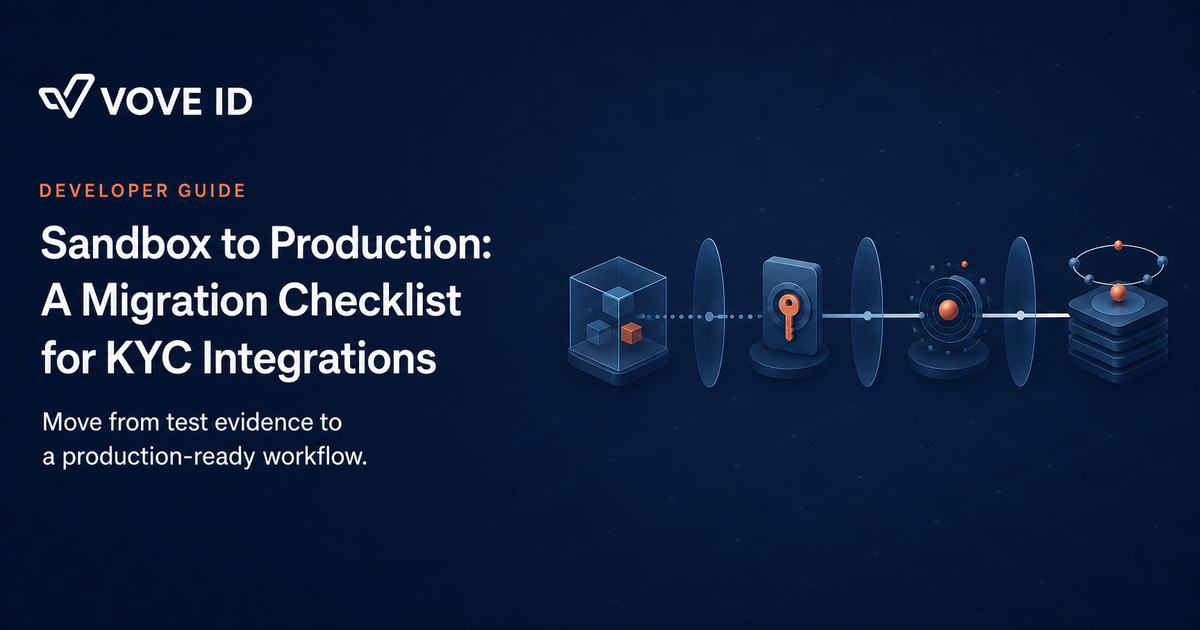
Move a KYC integration to production only when the technical path and the operating path are both ready.
VOVE ID helps product, engineering, and compliance teams take an identity-verification workflow from test conditions into a live customer journey. A successful sandbox test proves that a path can work. It does not prove that credentials, webhooks, reviewers, and support teams are ready to operate it.
This is exactly where launches break down.
The short answer
Treat sandbox-to-production migration as a release process, not a configuration switch. Test the customer journey in sandbox, prepare approved production credentials and application identifiers, validate your production callback and webhook handling, then launch with owned monitoring and escalation steps.
The goal is not to promise a go-live date. The goal is to make the first live verification explainable, recoverable, and ready for the team that owns it.
This checklist covers the release mechanics of the sandbox-to-production cutover itself. For the earlier planning decisions — evidence policy, security, privacy, and operational ownership before integration work starts — see our KYC API integration time guide.
Environment separation: why a working test flow is not enough
VOVE's Quick Start documentation lists distinct sandbox and production API URLs. Its Web SDK documentation also identifies sandbox and production as separate environment settings. That separation protects teams from using test activity as if it were a customer-facing control.
On paper, moving environments looks like changing configuration. In practice, it affects secrets, approved application settings, callback URLs, operational alerting, and the evidence reviewers need when a customer cannot continue.
This means one thing: keep environment-specific configuration explicit. A release should show which endpoint, credential, public key, webhook endpoint, and app identifier it uses. Do not let a hidden default decide which system processes a real customer's identity data.
For the underlying identity-control framework, see our KYC requirements explained.
Credentials and approval: the production gate teams often miss
VOVE's credential-setup documentation directs teams to register an account, provide the relevant mobile bundle ID, Android package ID, or web domain in the dashboard, and wait for application approval before retrieving the API key. That is a production dependency, not paperwork to defer until release day.
Keep API keys in server-side secret storage. VOVE's authorization documentation explicitly warns against embedding an API key in front-end code or a public repository. A client application can use a public key where the SDK requires one, but the team must keep server credentials out of browser and mobile-app bundles.
Before release, assign one owner for credential rotation and one owner for an approval or configuration question. A launch blocked by an unapproved domain or an unclear secret owner becomes an operations incident before the first customer starts.
The customer journey: test the paths that look ordinary and the paths that do not
Sandbox testing should cover more than a happy-path document capture. Exercise the journey that your product actually presents: entering the flow, providing identity information where required, receiving a result, returning to your app, and handling the internal status transition.
Then test the paths that create work. VOVE's webhook documentation describes in_progress, pending, successful, and suspected status values. Your product and review team need a concrete response for each relevant outcome. A pending status should not become an unexplained error page. A suspected outcome should not silently create an unrestricted account.
VOVE documentation also describes retrieving verification details by refId after a webhook event. Use that internal reference consistently in sandbox and production so engineering and operations can trace one customer case without guessing.
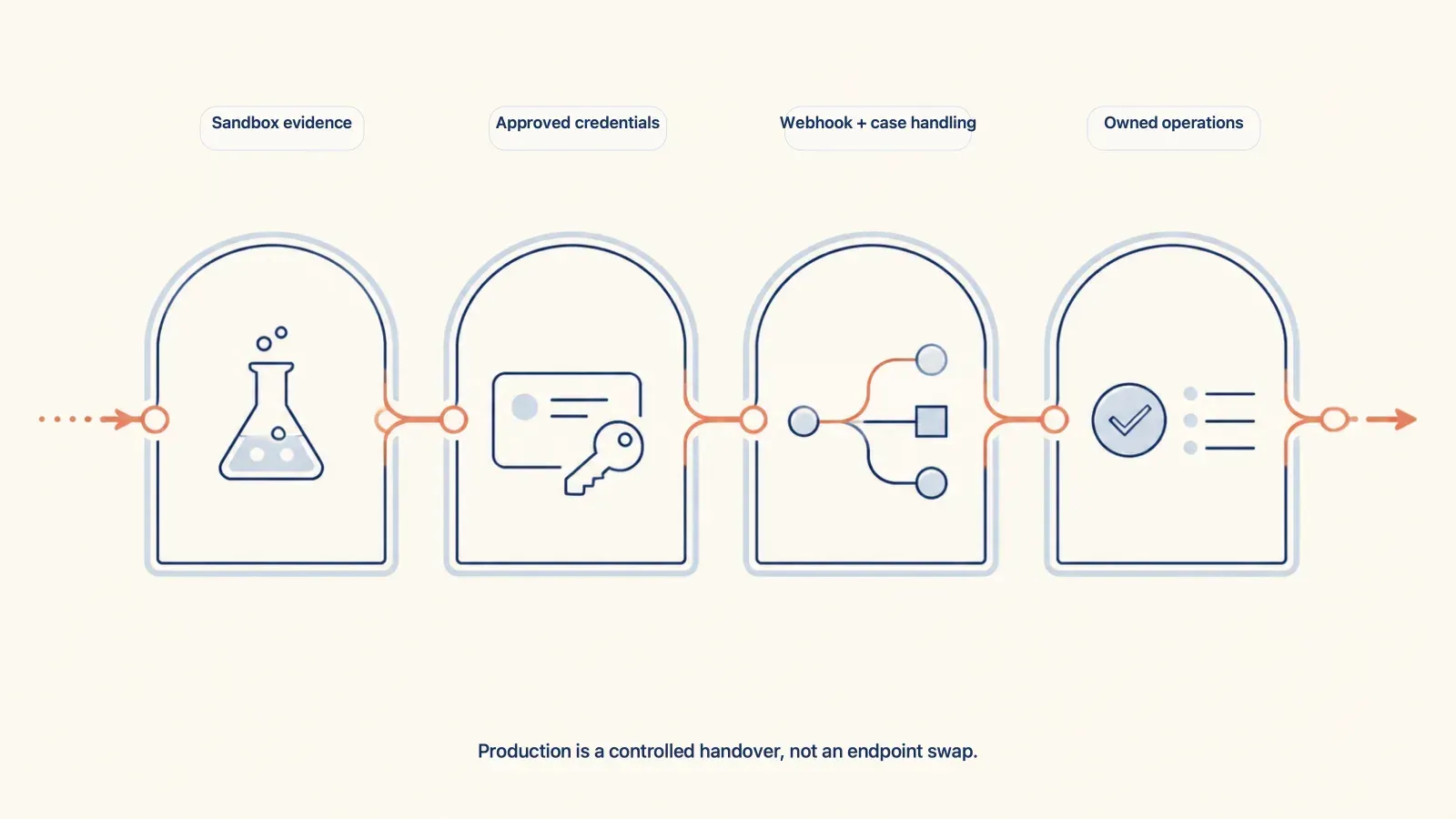
Production readiness depends on technical configuration, approval, event handling, and owned operations — not an endpoint change alone.
A realistic migration failure: the production flow opens, but the case goes nowhere
A marketplace completes its sandbox tests and changes the SDK environment in its release build.
The team has not confirmed its production webhook endpoint or who owns pending cases.
The first customer completes a verification, but the backend does not update the internal record. A second customer reaches pending status and support has no case queue or escalation path. Engineering can see a technical event, while operations cannot explain what the customer should do next.
This is not a sandbox failure. It is an incomplete production handover.
How VOVE ID supports an operational migration
Start with the environment choice documented for your integration. VOVE's SDK documentation describes explicit sandbox and production settings; VOVE's Quick Start also lists separate API base URLs. Keep those values in environment-specific configuration, then review them through the same change-control path as any other production secret.
Use the VOVE dashboard to set the required application identifiers and obtain credentials after the relevant approval step. Configure the production webhook endpoint and its secret, then verify that the endpoint can validate a delivery and store the event before acknowledging it.
Finally, connect verification outcomes to your own customer and case-management logic. VOVE can provide the identity-verification flow and status events. Your team still needs to decide when an account proceeds, when a reviewer intervenes, and how a customer receives a clear next step.
Practical KYC sandbox-to-production checklist
Configuration
- Record the sandbox and production environment values separately.
- Keep API keys and webhook secrets in server-side secret storage.
- Confirm the production web domain, mobile bundle ID, or package ID in the dashboard.
Validation
- Test the full customer journey in sandbox before promoting the release.
- Verify that your backend records webhook events against the right
refId. - Test the application response for successful, pending, and suspected outcomes.
Operations
- Assign an owner for pending and suspected verification cases.
- Document the support path for a customer who cannot continue.
- Retain event and case-transition evidence for troubleshooting and review.
FAQ
Is changing the API URL enough to go live?
No. A production release also needs the correct credentials, approved application settings, a production event path, and an internal workflow for every relevant outcome.
Should API keys be included in the mobile or web application?
No. VOVE's authorization guidance says to keep API keys out of client-side code. Store them in server-side configuration or a managed secret store.
What should teams test before production?
Test the customer journey, the webhook receipt and verification path, the internal case update, and the operational response for outcomes that require review.
Does sandbox success guarantee production approval or timing?
No. Sandbox evidence is necessary, but application approval and production configuration follow their own process. Confirm those requirements with the team responsible for the account.
Conclusion
A sandbox pass tells you the path can work. A production launch tells you whether the team is ready to run it.
The gap between them is credentials, event handling, and ownership — the operating details a demo never has to prove.
Want to see how VOVE ID can fit into a production-ready identity and compliance workflow?
This article is intended for general informational purposes only and does not constitute legal, financial, or regulatory advice. KYC/KYB/AML requirements may vary depending on jurisdiction, industry, and specific business circumstances. For up-to-date and binding compliance obligations, readers should refer to the relevant regulatory authorities or consult qualified professionals.
Sources
- VOVE ID Quick Start (accessed August 13, 2026)
- VOVE ID Setup your credentials (accessed August 13, 2026)
- VOVE ID Web SDK (accessed August 13, 2026)
- VOVE ID Webhooks documentation (accessed August 13, 2026)
- VOVE ID Authorization documentation (accessed August 13, 2026)